Create and edit a thread
Open Threads → New thread. Choose its type, title, description and visibility. Authorized users can edit it later through the thread settings menu. Personal is the default affiliation. Changing a personal thread’s affiliation does not itself transfer ownership or expose private work.
Describe useful phases
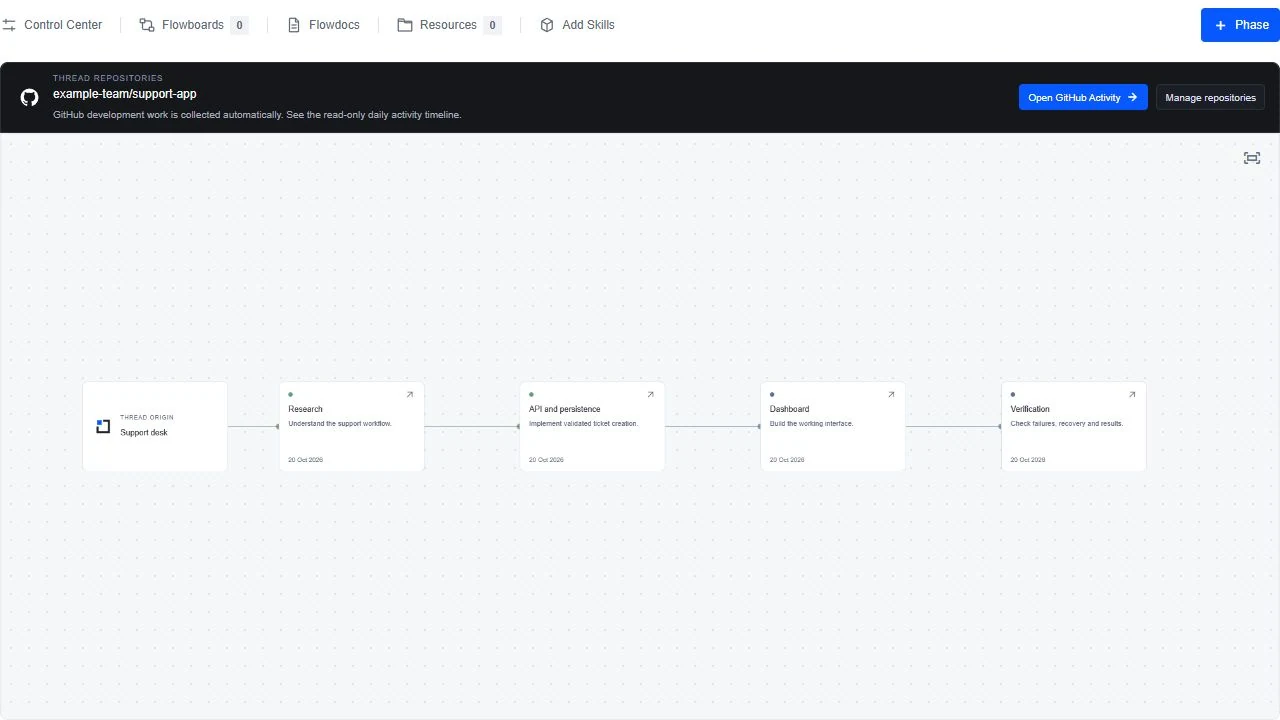
Open Phases → + Phase. Explain the work covered, intended outcome and boundaries. “API and persistence” is clearer than “Phase 2” alone. Connect phases to show dependencies or branches in the work. Open a phase card for its details and updates.
Read the overview
Work summary, phase understanding and contributions bring the understanding together. Expand what you need and open Recorded work where available to inspect ledgers and supporting records. The summary is not a replacement for evidence.
Post an update
Choose New update in phase details. Pick its type, describe what happened and attach the relevant document or board group. Check author, date and attachments. To extend or correct a locked record, publish a new update instead of rewriting old evidence.
Cannot open or edit?
Check the intended account, accepted invitation and current permission. A public profile or organization membership does not grant access to every private project. Frozen items are deliberately read only; continue in a new editable copy.