Common problems
Match the check to the state you see.
| Problem | What to check |
|---|---|
| No device after setup | Read the terminal result, Node.js version and key expiry. Confirm you used the correct GRID account. Generate a fresh command if the key expired. |
| Offline after restart | Check network access and whether the helper started after login. Allow time for a device ping, then refresh. Check startup restrictions on managed devices. |
| Missing folder | Open it in the IDE and check adapter status, or use Add file or folder with its absolute path. |
| Folder visible, no edits | Check device capture, Capture this project, thread mapping, exclusions and applied settings. Make a new saved change inside that exact scope. |
| Missing diagnostics/output | Saved-file capture alone is insufficient. Check the adapter connection, permissions and whether the run used a supported/instrumented IDE or terminal. Earlier output is not captured retroactively. |
| Reload IDE / Capture needs attention | Save your work, reload the IDE and inspect the adapter message. A newly installed IDE may still need discovery/setup. |
| Pull did not empty queue | Check eligible versus in-progress/local-review work, network and command acknowledgement. Repeated pulls do not bypass review or processing. |
| Review ended, still not locked | Read the status and required destination question. Resolve requested input; saving does not extend the evidence-editing deadline. |
Pause and resume
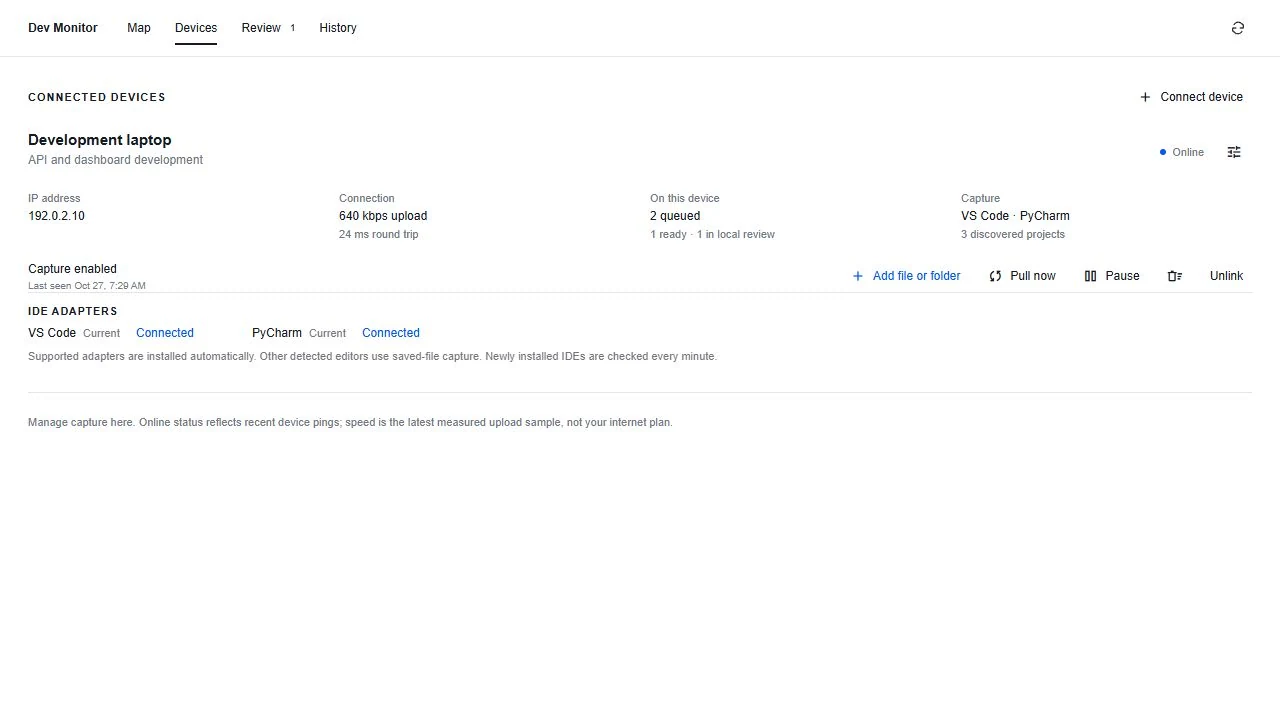
Pause stops capture while light control communication continues so Resume can reach the helper. Offline devices apply requests when they reconnect. Check acknowledgement; a click does not prove the request reached the computer. Received work remains in GRID.
Delete local history or unlink
Delete local history removes captured observations and unsent local packets on the device. Unlink revokes the connection and requests helper removal. An offline device cannot perform local cleanup until it reconnects. Neither action deletes evidence already received and locked in GRID. Read the confirmation first.
Send useful technical details
Include device name, OS, Node.js version, IDE/adapter status, time, packet state and the exact error with secrets removed. Say whether detection, edits, diagnostics, output, upload or review failed. Never send setup keys, tokens, passwords, .env files or unrelated private source code.