Write and format
Open a Flowdoc. Use headings, point sizes, paragraph alignment, spacing and lists. The cloud icon shows saved/sync state. Read mode hides editing where available.
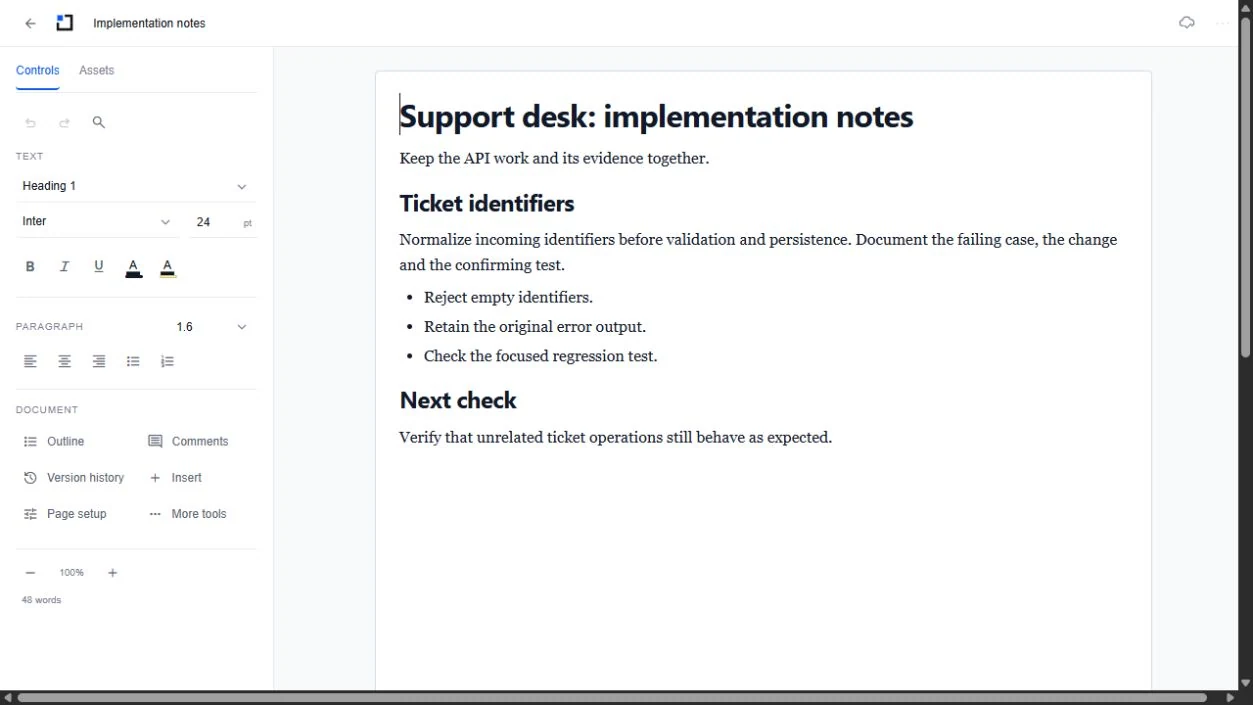
Paste text and images
Ctrl+V on Windows or Command+V on Mac pastes normal formatted content. Ctrl/Command+Shift+V pastes plain text. Right-click editable text for Paste and Paste without formatting. Lists and links are sanitized; unsafe formatting is removed. Image paste requires supported image data in the clipboard. A website that copies only a URL or blocks access may require saving/inserting the image instead.
Bring in Assets
Open Assets, choose a category and add an accessible card or group. Assets appear two per row. Inserted evidence blocks keep their protected structure. Split cards use a continuation symbol across pages; ordinary text editing must not rewrite the embedded source block.
Page setup, PDF and print
Page setup changes paper size and margins. New documents start with compact margins; saved documents retain their settings. The three-dot document menu contains Download PDF, Print, read/edit, and comments. Check first/last exported pages and paper size before printing. Large documents/images can make export slower and files larger.
Agents beside the document
When an agent is active here, open Agent work from the document toolbar. Read, edit and comment roles still apply. Agent changes use saved revisions and remain labelled as agent work. A frozen document cannot be edited; use an editable copy instead. Earlier agent activity is available in Captured activity.
Concurrent edits and recovery
Let the saved indicator settle before leaving. A newer-version conflict offers recovery so your local work is not silently overwritten. Save a recovered copy when needed; load the latest only when ready. A document preserved by a locked update is read only—make a new editable copy for later work.