Find a conversation
Open Circle from Dashboard. Messages shows actual conversations, not every connection. Search conversations; use Connections and Requests for your network. Supported attachments can be previewed before opening/downloading.
Invitations and message rules
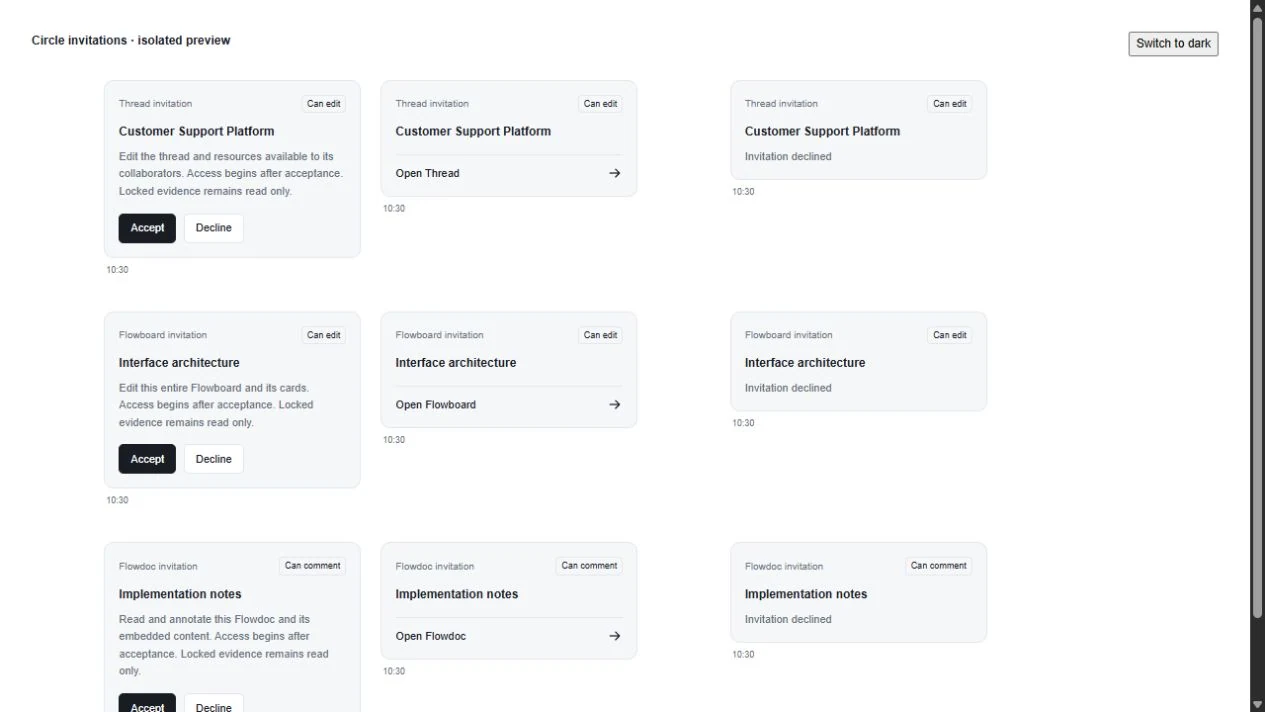
Accept/decline invitations from their message cards. Messages are not editable. Your message can be deleted before the recipient sees it; afterward deletion is restricted. A group share is a preserved copy—not a live window into the sender’s whole board.
Join a Flow Room
Open a shared board → Flow Rooms. There are up to three rooms per board. Empty rooms allow direct entry; an occupied room requires an existing participant to allow entry. Check who is present first.
Work while connected
Approve the camera/microphone permissions you intend to use. Returning to the Control panel keeps the room connected. Use People to pin video and maximize the video view when needed. People/chat overlays should not end the room.
Weak connection or no sound
Check mute, speaker/microphone selection, browser site permissions and OS device access. Interact with the room if the browser blocked playback. Allow reconnect to finish before repeatedly rejoining. Reduce competing uploads or turn camera off to preserve audio. Room chat is temporary; keep durable information in a post or document.