Find the GitHub controls
Open Threads → your thread → Phases. Find Thread repositories above the phase map. There is no separate tab named Workspace to look for. Which action appears depends on what you have already connected.
| Button you see | What it means |
|---|---|
| Connect GitHub | Your GRID account still needs a linked GitHub identity. |
| Allow repositories | Your identity is linked, but repository access needs authorization. |
| Add repository | Repository access is available; choose which repository belongs to this thread. |
| Manage repositories | At least one repository is attached. Open it, then Available repositories or Add another repository to add more. |
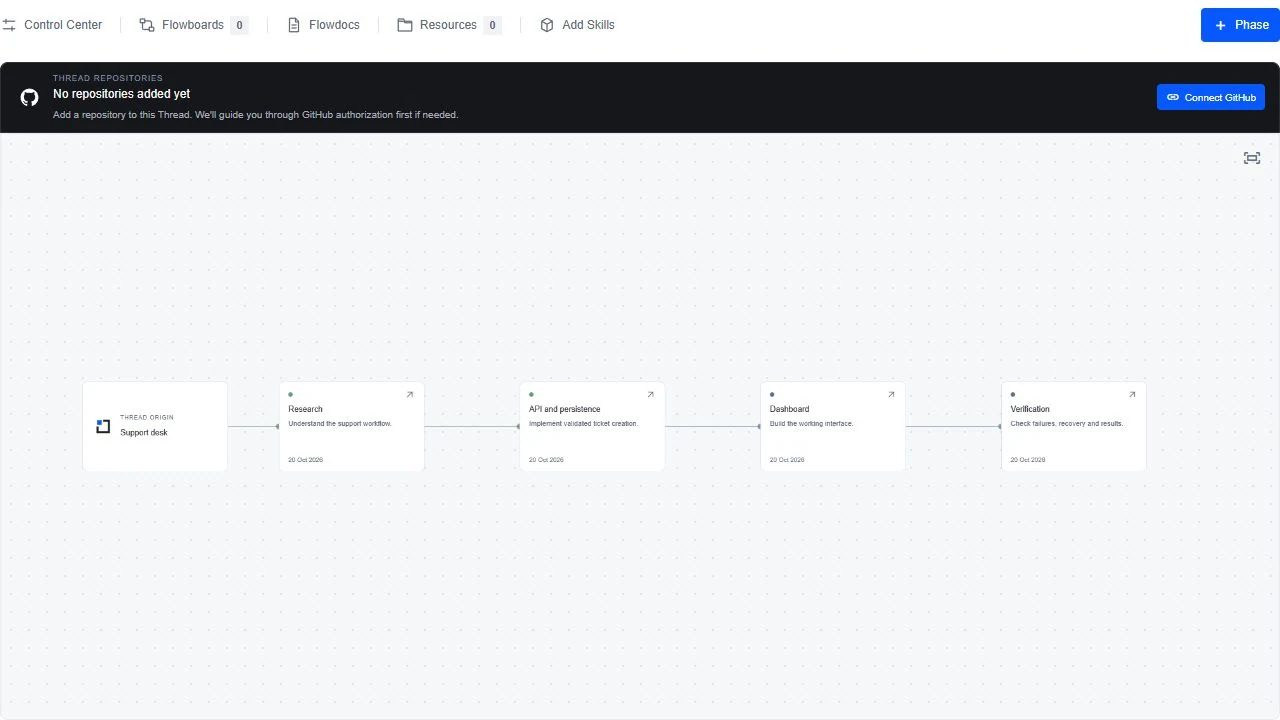
Connect and attach
Use the appropriate action in Thread repositories. GitHub sign-in alone does not attach a repository.
- Choose Connect GitHub if shown. On GitHub, confirm you are using the intended account and finish its authorization. Return to GRID; if the picker did not reopen, return to this same thread’s Phases tab.
- If Allow repositories or Choose repositories on GitHub appears, complete the OpenMinds GitHub App installation/authorization and select the intended repositories. An organization admin may need to approve this. Return and use Check GitHub installation again if offered.
- Choose Add repository. If you see Manage repositories instead, open it and switch to Available repositories (or choose Add another repository).
- In Available repositories, search for the full owner/repository name. Use the refresh icon labelled Refresh available repositories after changing App access. Choose Add to Thread for the intended repository.
- Confirm the success message and the repository under Added to Thread. Close the picker, then choose Open GitHub Activity in the thread’s repository strip. Use its sync/refresh icon if needed; imported history and its explanation may arrive separately.
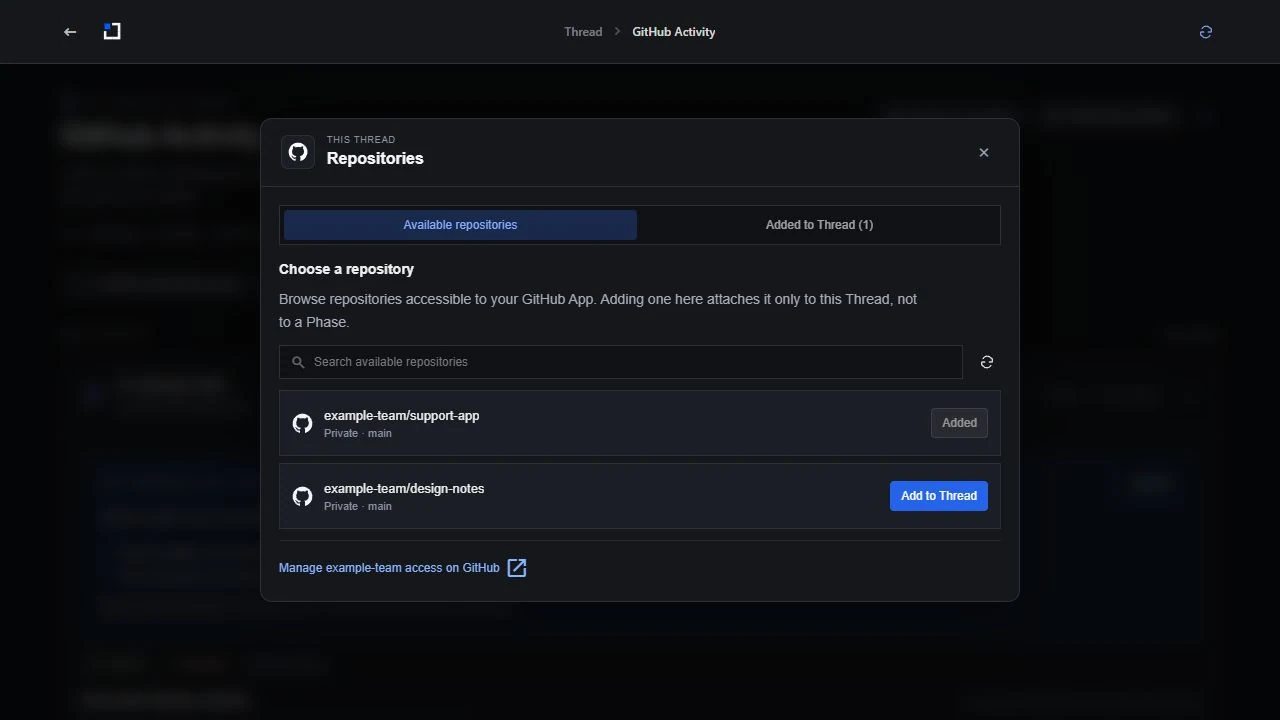
Read a development day
Open a date card to inspect its activity. Multiple repositories can contribute to a thread. GitHub day boundaries are UTC, so an event near midnight may appear under a different date than your local calendar.
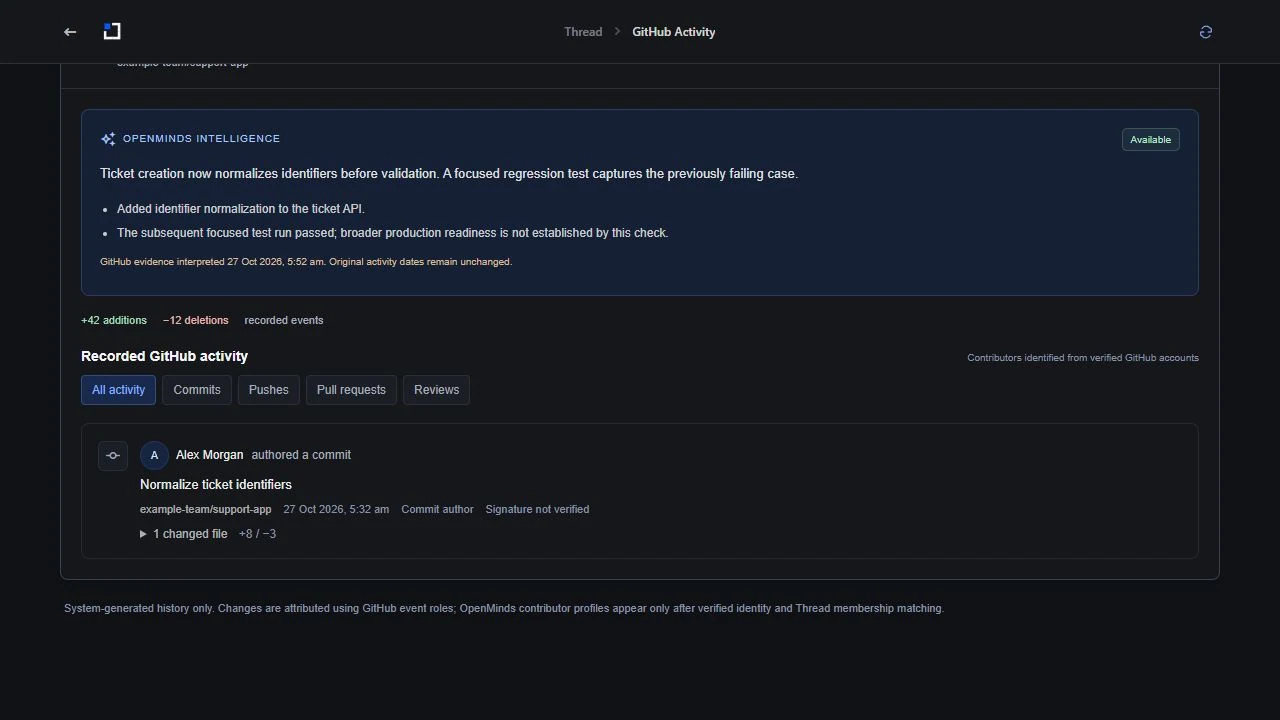
Interpretation and source
Intelligence explains work when supporting evidence has been processed. “Awaiting results” means recorded activity exists but its interpretation is not available yet. A commit message alone does not establish what code does, whether tests passed or who solved a problem. Inspect the supporting activity.
Contributor identity
Verified GRID contributors are shown separately from unmatched GitHub actors. Check the linked GitHub identity when attribution is wrong. Repository/thread access alone does not prove authorship.
Remove a repository
Removing it from this thread does not disconnect your GitHub account. Current authorization controls newly imported work; previously preserved records remain subject to visibility/evidence rules. Revoke a GitHub App installation only if you intend to remove its repository access.